
Why do team uniform orders still go wrong even when everyone double-checks the roster?
Wrong sizes. Misspelled names. Duplicate jersey numbers. These mistakes are so common in team orders that many teams treat them as unavoidable. But they are not random. And they rarely happen at the factory.
Most uniform errors start much earlier during roster collection, design handoff, and approval. When sizes, names, and numbers are gathered through spreadsheets, emails, or messages, small inconsistencies quietly slip in. By the time production begins, those inconsistencies are already locked into the order.
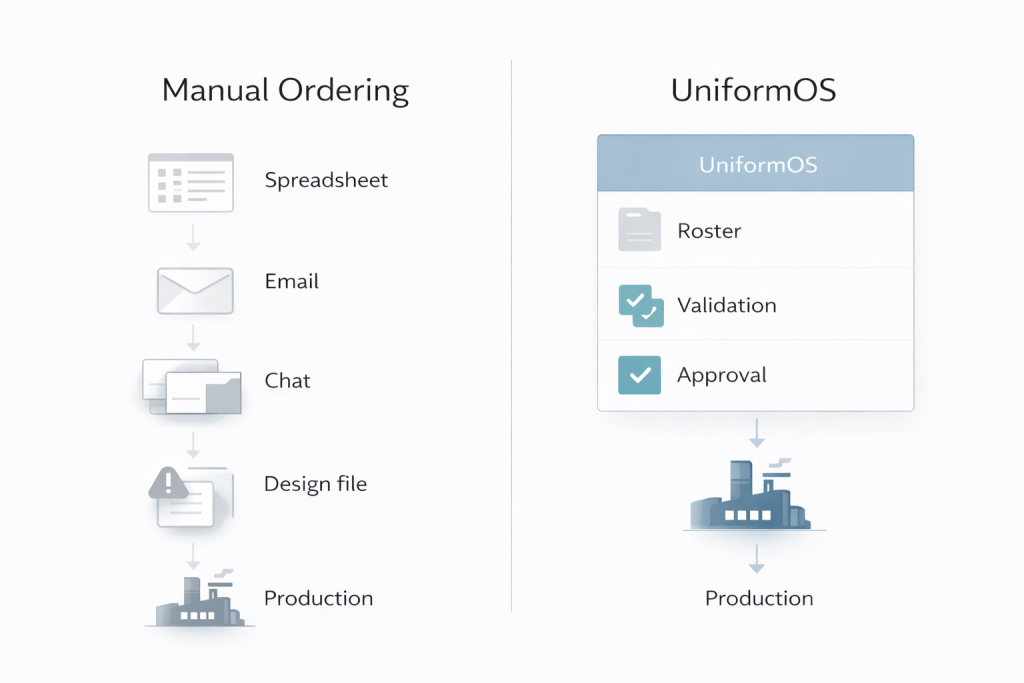
At Wooter, uniform orders are managed through UniformOS, the internal system that structures how roster data, designs, approvals, and production steps are handled. Instead of relying on memory or manual checks, UniformOS treats uniform details as structured data that can be validated, reviewed, and reused.
This article explains how UniformOS reduces uniform errors by focusing on three core mechanisms: structured data, validation rules, and templates.
Most teams do not make mistakes because they are careless. Errors happen because uniform orders are usually collected through tools that were never built for production accuracy.
Roster details often come from multiple places at once:
Each channel creates a new version of the truth.
When sizes, names, and numbers are entered as free text, small inconsistencies slip in fast:
The more players you have, the more likely it becomes that:
Youth leagues, school programs, and clubs feel this the most because rosters change often.
Wooter already encourages teams to clarify details early in the ordering process.
Manual review helps, but it does not eliminate risk. Human checks depend on attention and memory. Uniform production needs structure and rules.
The real problem is simple:
there is no system enforcing how roster data is entered, validated, and approved before production begins.
Most teams think uniform mistakes happen during design. That is rarely true. The design team can only work with the information they receive.
Sizes, names, and jersey numbers are not creative elements. They are data fields. When those fields are collected in free text, errors become hard to avoid.
A spreadsheet or message thread allows dozens of small variations that look “close enough” to a human, but become production problems later:
Missing spaces, extra spaces, or different capitalization (e.g., “McDonald” vs “Mc Donald” vs “MacDonald”)
When the roster data is not clean, the same problems repeat across the workflow:
Wooter sees these issues most often in the exact areas teams customize the most, especially names and numbers. When roster data is inconsistent, even a perfect design workflow can produce the wrong result.
Uniform accuracy depends on one thing first. Clean, consistent roster data.
This is why UniformOS matters. It helps turn uniform details into structured inputs that can be checked, validated, and kept consistent from roster collection to production and reorders.
UniformOS is the internal system that keeps a team uniform order consistent from the moment you submit a roster to the moment the factory produces the final pieces. It does not rely on someone “remembering” which spreadsheet was final or which file was approved.
It works by turning a uniform order into a controlled workflow, with structured inputs and checkpoints.
Instead of spreading information across emails and files, UniformOS keeps the critical parts of the order connected:
This matters because most errors happen when those items live in different places.
UniformOS reduces “free text chaos” by pushing teams into structured choices:
When data entry stays consistent, downstream design and production stay consistent.
Wooter’s builder experience is not just a design tool. It supports the ordering process by keeping design decisions tied to the order record, instead of living as separate attachments.
For many teams, the biggest source of mistakes is variation. Different people submit slightly different versions of the same order. Team stores reduce that by letting teams order from pre-approved designs and structured product options.
Reorders fail when the original design, roster format, or size set is not preserved. UniformOS helps keep the original structure intact so the next order does not start from scratch.
This is where errors drop sharply, because consistency stops being “manual effort” and becomes part of the system.

When validation happens early, teams avoid last-minute fixes and move into production with confidence. Structured data creates clarity, but validation rules are what actually stop errors from moving forward. This is the layer where mistakes are caught early, before they become expensive production problems.
Validation means the system does not simply accept information. It checks it.
One of the simplest causes of uniform errors is missing information. A size is skipped. A number is left blank. A name is forgotten for one jersey.
Validation rules prevent this by enforcing completeness:
If a required field is missing, the order cannot move forward. This removes the risk of “we will fix it later.”
Free text invites inconsistency. Validation replaces free text with controlled inputs wherever possible:
This ensures that what looks correct to one person also works correctly for design and production.
Duplicate jersey numbers are one of the most common team-level mistakes, especially in youth and school programs. Validation rules make these conflicts visible before approval:
Catching these issues after printing is far more costly than fixing them during data entry.
The most important validation rule is the approval checkpoint. An order should not advance simply because time passed or someone assumed it was correct.
Approval gates ensure that:
Once approval is given, production can proceed with confidence because the information has already been verified within the system.
Manual review depends on focus and memory. Validation depends on rules. Rules do not get tired, rushed, or distracted.
By enforcing validation before production, UniformOS shifts error detection upstream, where fixes are fast and cost-effective. Instead of reacting to mistakes after they happen, the system prevents most of them from happening at all.
Even with clean data and validation rules, mistakes still creep in when every order is treated as a one-off. Templates solve this by standardizing what should not change, while still allowing teams to customize what matters.
UniformOS uses templates to reduce variation at the points where errors most often appear.
Design templates define the non-negotiables of a uniform:
When these elements are locked into a template, designers are not reinventing layouts for every order. The same structure is reused, which reduces visual inconsistencies and prevents accidental changes.
This approach works especially well when combined with Wooter’s online apparel builder, where design choices stay tied to the order instead of living in separate files.
Roster templates ensure that every order collects the same information in the same way:
Instead of rebuilding rosters from scratch, teams work within a familiar format that already aligns with production requirements.
This consistency is what allows validation rules to work reliably at scale.
Large teams often struggle because different people submit orders differently. Team stores solve this by limiting choices to pre-approved options:
By ordering from a structured store, teams eliminate many of the mistakes that happen during manual order collection.
Reorders fail when the original structure is lost. Templates preserve that structure.
Because designs, size sets, and roster formats are reused, teams can reorder without re-entering data or correcting old mistakes. The second order matches the first because it follows the same template.
This is where consistency becomes systemic, not manual.
Templates do not limit creativity. They protect accuracy. By enforcing consistency in repeatable areas, UniformOS allows teams to customize with confidence while avoiding the errors that typically slow production down.
Even with structured data and validation rules, errors can still slip through if there is no clear moment to stop and confirm accuracy. Proof and approval checkpoints exist for that reason.
A proof turns roster data into something visual and reviewable. Names appear exactly as they will be printed. Numbers show their real size and placement. Spacing and layout become clear. Issues that are easy to miss in a spreadsheet often stand out immediately on a mockup.
Approval creates a formal handoff. Instead of assumptions, there is confirmation. The customer reviews the proof and confirms that sizes, names, and numbers are correct before production begins. That approval becomes the reference point for the factory.
This step prevents costly rework. Fixing a mistake before printing is simple. Fixing it after production starts leads to delays, reprints, and frustration. A single approval checkpoint avoids those downstream problems.
Proofing does not slow orders down. It protects them. By requiring confirmation at the right moment, UniformOS ensures production starts with confidence instead of guesswork.
Quick answers to common UniformOS ordering questions.
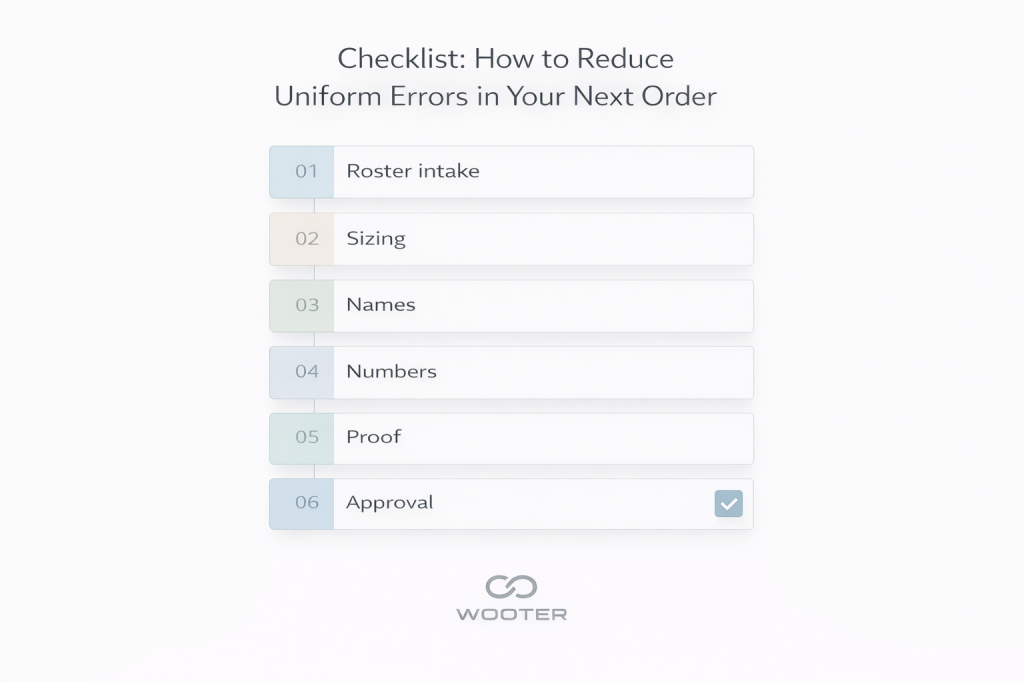
Most sizing errors start during roster intake. Teams collect sizes through spreadsheets, texts, and multiple editors. Free text entries create inconsistencies. A shared sizing chart and structured size selection reduces those mistakes.
Names often change across versions. One file may have the correct spelling, while the design proof uses an older version. The fix is a single source of truth plus a proof checkpoint before production.
Duplicate numbers usually occur when multiple people edit the roster or when updates arrive late. Validation checks that flag duplicates early prevent this from reaching production.
Use a structured roster template with separate fields for name and number, then confirm them in a proof before approval. This reduces formatting errors and last-minute confusion.
Yes. Proof approval is the most effective checkpoint for catching mistakes that are invisible in raw roster data. It ensures the printed result matches what the team expects.
Reorders fail when the original design files, roster format, or size set are not preserved. Templates and saved order history prevent “version drift” between seasons.
Most uniform errors start in roster intake and approvals, not at the factory. Wooter reduces those avoidable mistakes by using a structured workflow that keeps sizes, names, numbers, and approvals consistent from order to production.