
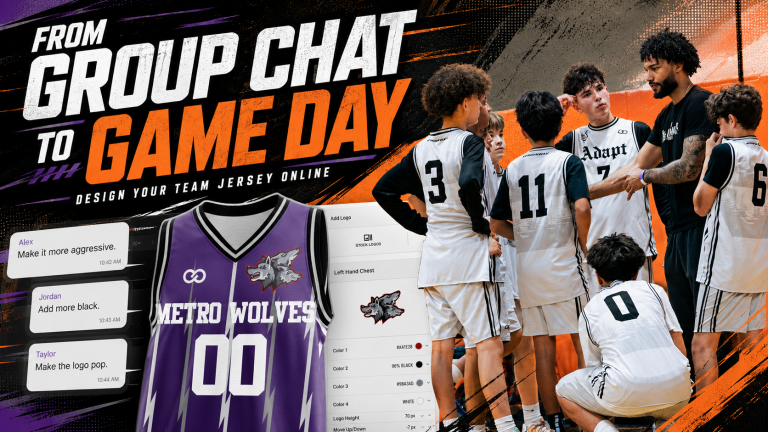
Your team’s new jersey already exists. It is just trapped inside 63 group-chat messages.
The logo is in an old email. One player wants a blackout uniform. Another has sent three professional jerseys for inspiration. The coach needs readable numbers. Someone keeps saying, “Make it more aggressive,” but nobody can explain what that means.
You do not need Photoshop to move forward. You need to turn scattered opinions into clear design decisions.
With Wooter’s Apparel Builder, you can choose an actual uniform, start with a customizable template, apply your team colors, upload the logo, and add names and numbers. Instead of asking everyone to imagine the same jersey, you can give them something real to review.
Your team brings the ideas. The Builder turns them into a uniform direction.
How Do You Design a Team Jersey Without Photoshop?
To design a team jersey without Photoshop, collect five things: your team name, logo, colors, preferred style, and one sample player name and number. Then open an online jersey builder, choose the correct sport and product, customize a template, upload the logo, and add the personalization.
The complete process is:
- Translate team opinions into design decisions.
- Choose the actual uniform product.
- Select a template that fits the team’s style.
- Apply a clear color hierarchy.
- Upload and position the logo.
- Test real names and numbers.
- Review the complete front and back.
- Submit the direction for final proofing.
The Builder helps the team create and evaluate the design direction. Wooter’s approved proof confirms the final production layout.
Why Team Jersey Ideas Get Stuck in the Group Chat
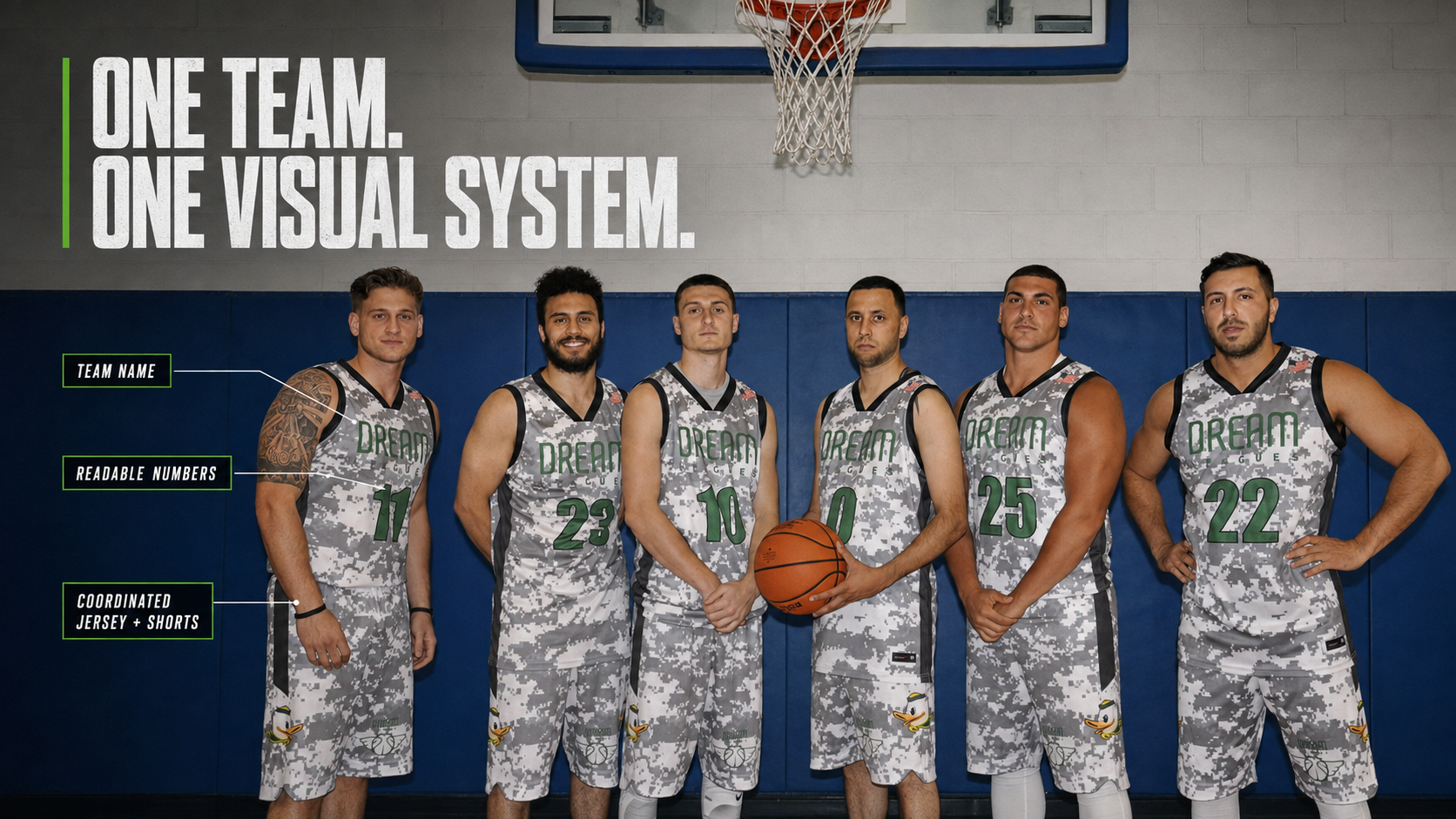
Most teams do not lack ideas. They have too many ideas with no shared language.
A coach may understand “clean” as a simple uniform with one strong logo. A player may hear “clean” and picture a black jersey with a subtle pattern. Another person may think it means removing every graphic except the team name.
The same problem happens with comments like:
- “Make the logo pop.”
- “It needs more energy.”
- “Can we add some red?”
- “The back looks empty.”
- “Make it like this jersey, but different.”
- “It should look professional.”
- “Can you make the numbers cooler?”
None of those comments is a usable design decision yet.
The job is not to accept or reject every suggestion. It is to translate each suggestion into something you can actually change inside a custom uniform builder.
Use the Group-Chat Jersey Decoder
Before opening the Builder, convert vague feedback into specific actions.
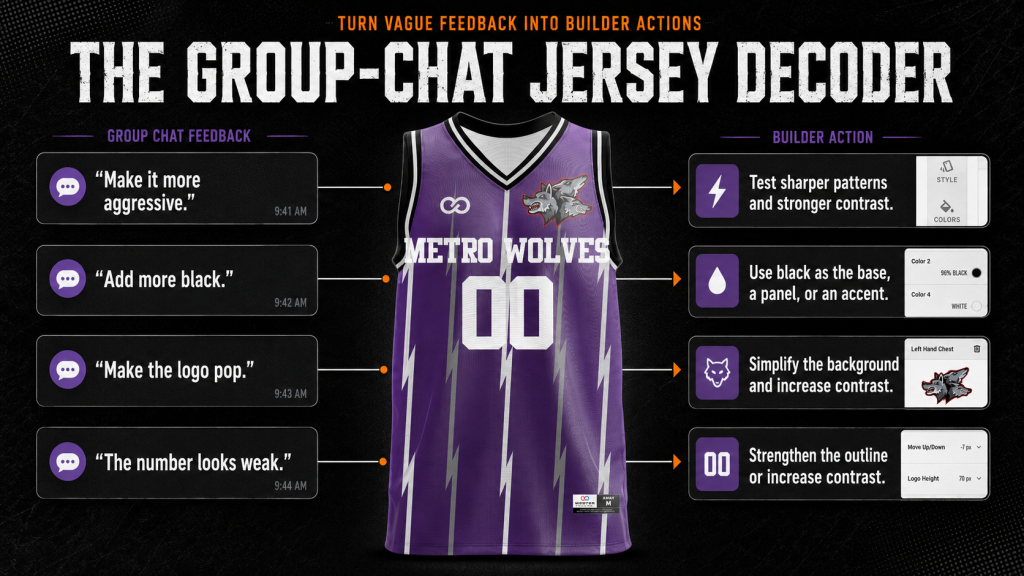
This translation step prevents the Builder from becoming another place where the team clicks random options.
Every change should answer a specific problem.
Complete Your Jersey Direction Card
You do not need a professional creative brief. You need enough direction to avoid starting from zero.
If the team dislikes gradients, oversized logos, script fonts, neon accents, or complicated patterns, record that now. Eliminating the wrong directions makes finding the right one faster.
Once this card is complete, you are ready to design your team jersey online.
How to Design a Team Jersey in Wooter’s Apparel Builder
The Builder is where the conversation stops being hypothetical. Each choice appears on a real product, allowing the team to judge the complete uniform rather than a collection of separate ideas.
1. Choose the Product Before Designing the Look
Do not design a generic shirt and try to force it onto a sports uniform later.
Start by choosing the sport and product the team will actually wear. Wooter’s Builder includes categories for basketball, football, baseball, soccer, cheer, lacrosse, softball, volleyball, wrestling, and other apparel.
Product selection matters because each garment creates different opportunities and restrictions.
- A basketball jersey gives the logo, team name, and number a large open front.
- A button-front baseball jersey requires the design to work around the placket.
- A football jersey must account for its shoulder structure.
- A soccer jersey gives patterns more continuous space across the body and sleeves.
- A reversible jersey needs two readable, connected designs.
When you begin with the correct garment, your design decisions become more realistic.
2. Pick a Template That Speaks the Team’s Language
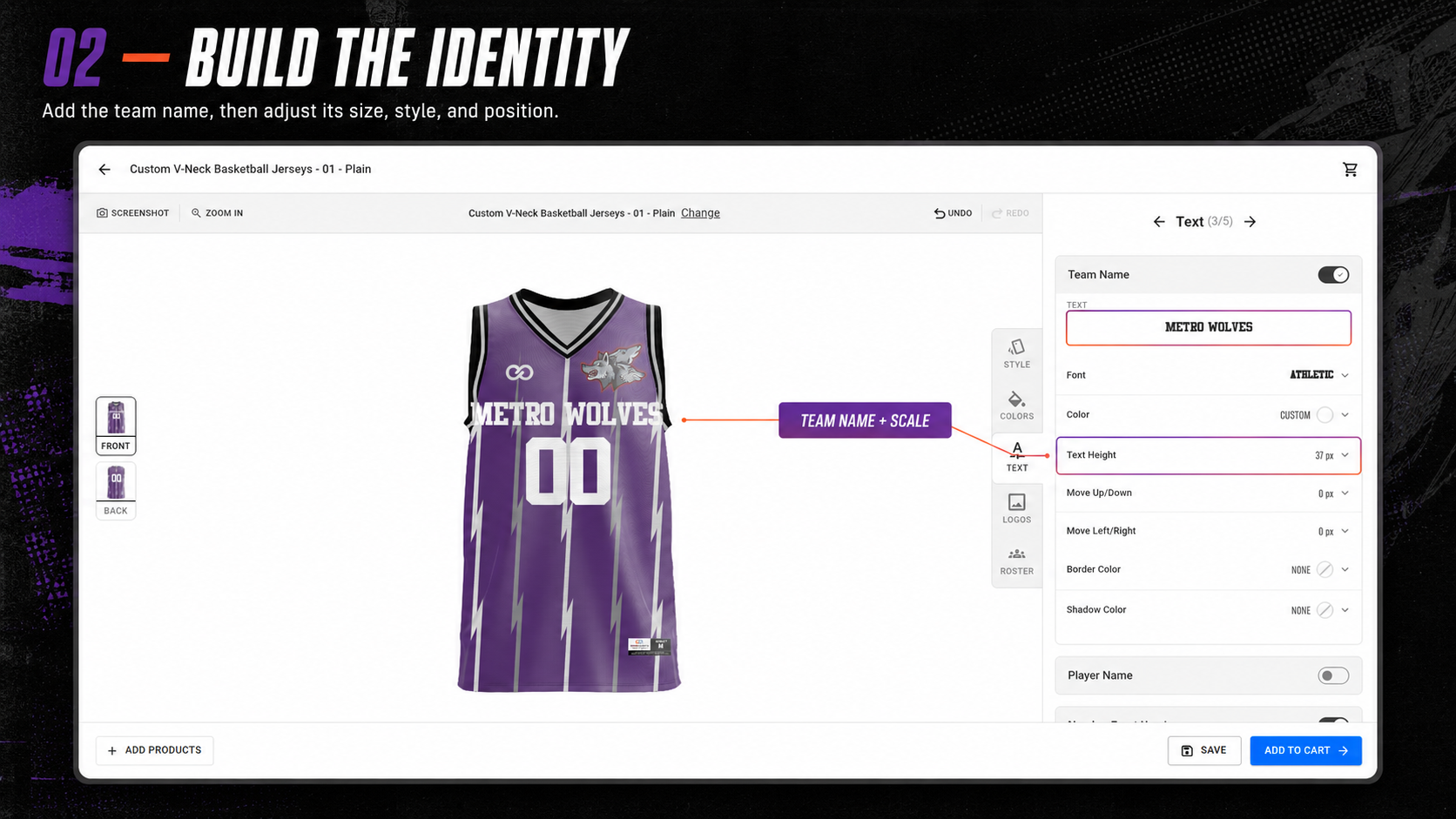
A template is not the team identity. It is the structure that holds it.
Use the style selected on the Jersey Direction Card:
- Classic: Controlled striping, familiar panels, and traditional typography
- Bold: Strong contrast, energetic shapes, and more prominent graphics
- Minimal: Open space, restrained details, and one clear focal point
- Retro: Traditional trim, limited colors, and period-inspired lettering
- Modern: Cleaner geometry, deliberate asymmetry, and simplified branding
Do not automatically choose the busiest design. More graphics do not make a jersey more custom.
The strongest template is the one that makes the team’s logo, colors, and name feel intentional.
3. Give Every Team Color a Job
“Use navy, gold, and white” is not a complete color direction.
Decide which color controls the jersey:
- Primary color: The largest visual area
- Secondary color: Major panels, shoulders, sleeves, or contrast sections
- Accent color: Outlines, trim, and small highlights
If every color receives equal attention, the jersey can become visually noisy. One color should lead while the others provide contrast and recognition.
As you adjust the template, check:
- Does the logo remain visible?
- Are the team name and numbers easy to read?
- Is the accent color becoming too dominant?
- Does the uniform still look like the same team from the front and back?
- Would the design work in both a light and dark version?
If the team is struggling to assign color roles, use Wooter’s guide to matching uniform colors for team identity.
4. Upload the Logo and Let It Breathe
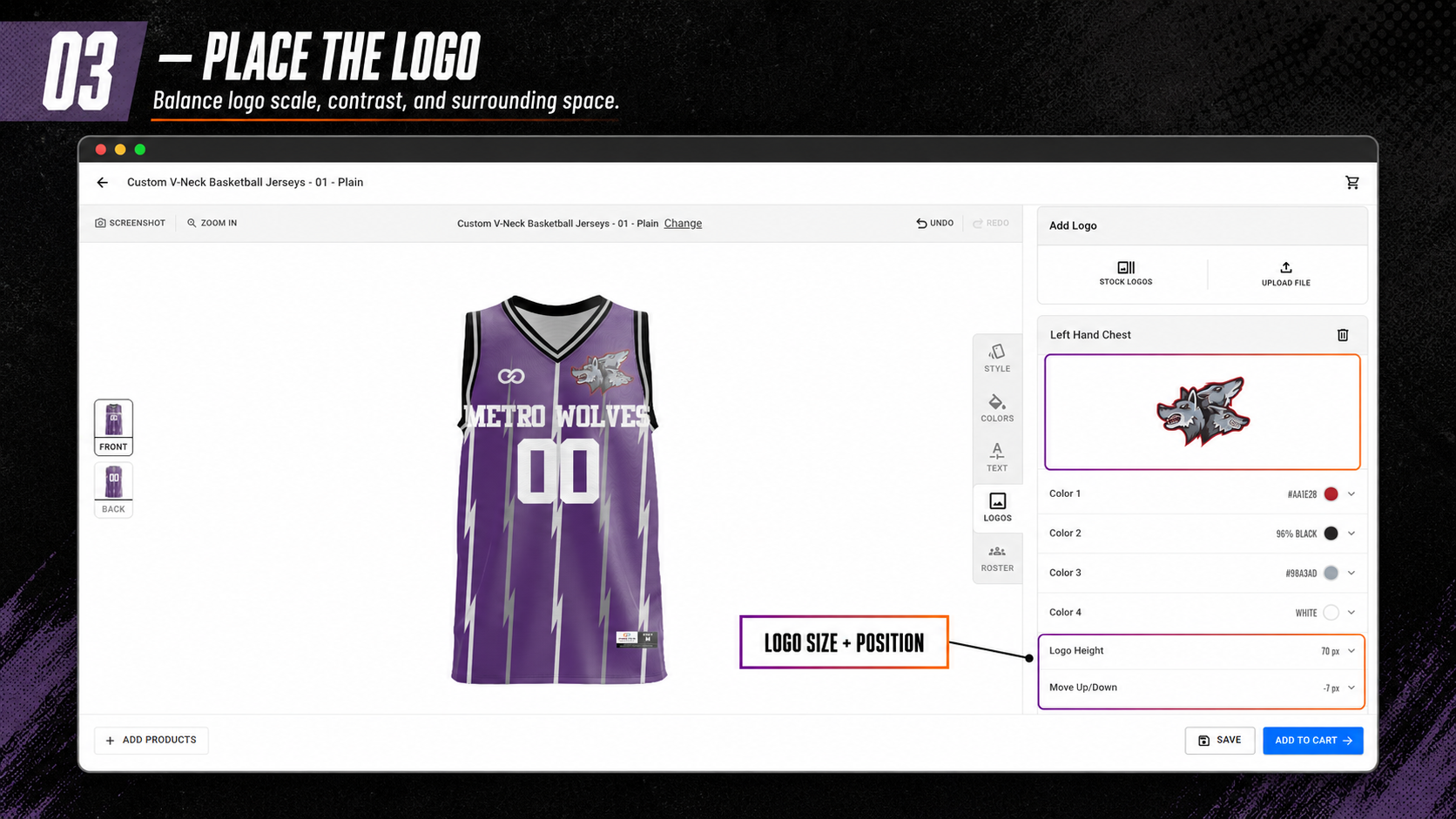
A custom jersey should not look like a stock uniform with a logo pasted over it.
After uploading the logo, consider how the rest of the design supports it.
A detailed mascot logo may need a quieter background. A simple lettermark may hold its own against a stronger pattern. A wide wordmark needs different space from a compact crest.
Review:
- Logo size
- Placement
- Background contrast
- Space around the logo
- Proximity to the team name
- Interaction with panels or patterns
- Balance with the front number
If the team says, “Make the logo bigger,” first ask whether size is the real problem. Sometimes the logo feels weak because the background is too busy or the contrast is too low.
Wooter’s logo sizing and placement guide can help when the mark feels lost or overpowering.
5. Test the Design With the Hardest Roster Combination
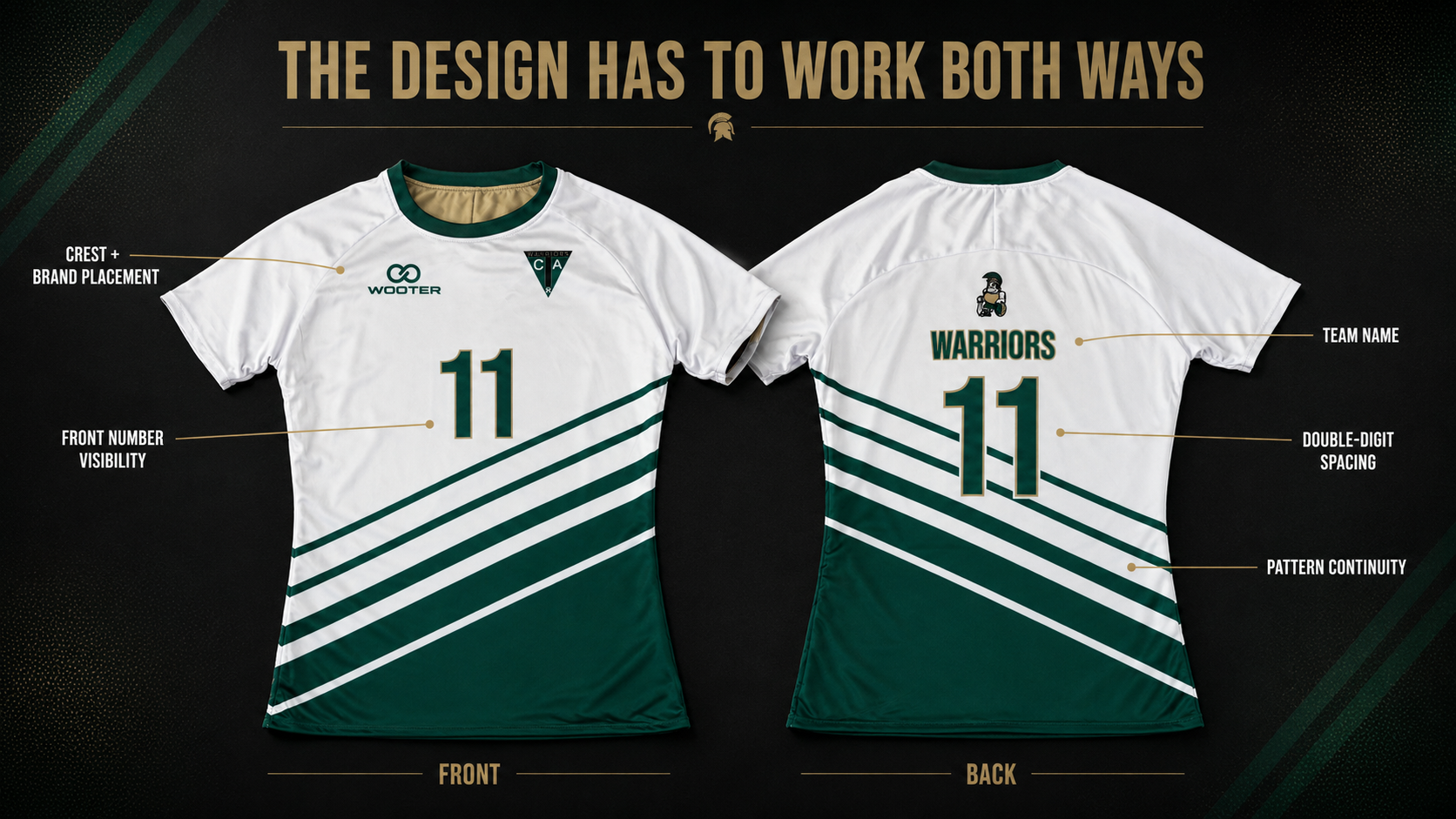
A jersey can look perfect with “LEE” and number 7, then fall apart when it needs to fit “RICHARDSON” and number 88.
Do not approve personalization based on the easiest example.
Test:
- The longest surname
- A short surname
- A single-digit number
- A double-digit number
Then check:
- Does the long name still look intentional?
- Is there enough spacing between the letters?
- Do double-digit numbers crowd the design?
- Does the pattern interfere with the number?
- Does the number need a stronger outline?
- Is the player information readable at a glance?
Names and numbers are not finishing touches. They are part of the uniform’s function.
If the typography is stylish but difficult to read, it is the wrong typography. Wooter’s list of sports jersey fonts provides options designed for stronger visibility.
6. Review the Jersey as One Complete System
Stop judging individual elements and look at the full design.
The logo may look good by itself. The pattern may look good by itself. The number style may look good by itself. That does not guarantee they work together.
Run a final Builder review:
- Can you identify the team immediately?
- Is there one clear focal point?
- Do the colors follow a hierarchy?
- Are the names and numbers readable?
- Does the front connect visually with the back?
- Are required sponsor or league marks accounted for?
- Is every word spelled correctly?
- Does the design still match the original direction?
- Did team feedback improve the jersey or simply add more to it?
If the design no longer fits the Jersey Direction Card, it has drifted. Remove the additions that pulled it off course.
Your Jersey Idea Is Ready to Leave the Group Chat
Choose the product. Test the templates. Apply your team colors. Upload the logo. Add the names and numbers.
Turn the conversation into something the whole team can finally see.
How to Get Team Feedback Without Creating 20 New Designs?
Do not send the first draft to the entire team with one word:
Thoughts?
That question invites everyone to become the creative director.
Use a controlled approval process instead.
Present No More Than Three Directions
Three options are enough to create choice without restarting the entire project.
For example:
- Classic and clean
- Bold and high-contrast
- Minimal and modern
Ask Decision-Based Questions
Avoid “What does everyone think?”
Ask:
- Which template fits our identity best?
- Which version makes the logo easiest to recognize?
- Which color balance should we keep?
- Which number treatment is easiest to read?
- Is any required element missing?
Separate Preferences From Problems
“I prefer the black version” is a preference.
“The gold number disappears into the background” is a design problem.
Solve problems first. Use the final decision-maker to resolve preferences.
Collect Feedback Once
Give the team a deadline. Consolidate the comments. Make one controlled revision.
Team input can improve the jersey. Endless group-chat art direction usually does not.
From Builder Design to Final Proof
The Builder design is not the last quality check.
Wooter uses a proof-based process. After the design direction is submitted, the team reviews the mockup, confirms the roster and sizes, requests necessary revisions, and approves the final details before production begins.
Check the final proof for:
- Team and player-name spelling
- Jersey numbers
- Logo placement
- Color instructions
- Front and back layout
- Sponsor marks
- Product and quantity
- Required league details
The Builder helps you decide what the team wants. The proof confirms what Wooter will produce.
See how Wooter works from design to delivery before approving the order.
Frequently Asked Questions About Designing Custom Team Jerseys
Do I need Photoshop to design a team jersey?
No. An online jersey builder lets you start with a uniform template, change the colors, upload a logo, and add names and numbers without using professional design software.
What do I need before designing a team jersey?
Start with the team name, sport, preferred product, logo, primary colors, general style, and one sample player name and number. One or two reference images can also help clarify the direction.
Can I upload my team logo to Wooter’s Apparel Builder?
Yes. Wooter’s Apparel Builder allows users to upload logos while customizing supported uniforms and apparel.
Can I add player names and numbers?
Yes. Names and numbers can be incorporated into the design. Test both short and long surnames as well as single and double-digit numbers before finalizing the direction.
Is the Builder design the final production proof?
No. The Builder helps establish and communicate your preferred design. Wooter’s approved proof confirms the final production layout.
What if I only have a rough jersey idea?
You can use the Builder to explore products, templates, and colors. If the concept requires original artwork or professional development, submit a custom design request to Wooter.
Build the Jersey Your Team Keeps Talking About
Your team does not need another week of screenshots, color suggestions, and “What if we tried this?” messages.
It needs one visible direction.
Bring the team name, colors, logo, and strongest ideas into Wooter’s Apparel Builder. Test them on an actual uniform. Add a real player name and number. Remove what does not work. Keep what makes the team instantly recognizable.
The group chat started the jersey.
Now build it.